
Use cases
Bring ticket and specification context into agent work
Connect MCP tools so agents can use the issue, specification, or team knowledge relevant to a task instead of relying on a short prompt alone.
Ground work in the team’s existing sources
Use connected tools when a change depends on a Linear ticket, a Notion specification, or another source available through your configured MCP integrations. Start with a focused read or analysis task to check that the intended source is accessible.
Tool access and event automation serve different purposes: MCP lets an agent access context or actions; a webhook and rule start work from a provider event.
Configure connection and tool access
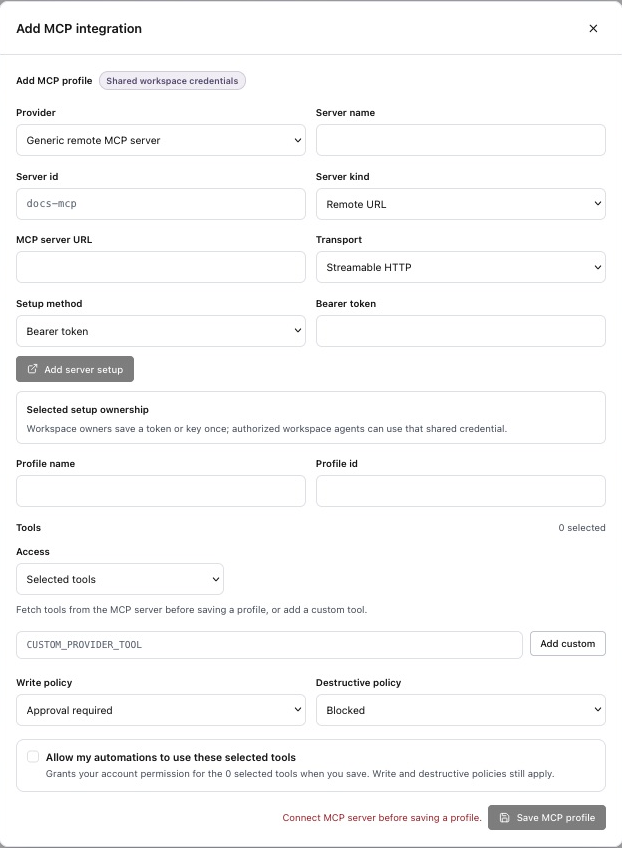
- Open Integrations and choose the relevant provider, or Add MCP server for a supported custom endpoint.
- Complete the required authentication and check credential ownership.
- Fetch the available tools and configure the tool selection and approval rules needed for the task.
- Confirm access with a bounded task before starting broader delivery work.
Example: reconcile a ticket with its specification
In a Plan session, provide the ticket and specification references and ask for a clear, evidence-backed summary before implementation.
Read [Linear issue] and [Notion specification] using the configured tools.
Summarize the intended user behavior and acceptance criteria.
Identify contradictions, missing requirements, and compatibility constraints.
Link the sources for each important conclusion.
Do not change code or update the source documents.
If the source cannot be read, resolve access or supply the relevant text. Do not assume that pasting a link grants permission or tool access.
Review what the agent actually found
Open the cited sources and check that the summary reflects current requirements. Resolve contradictions before moving to Build. Use the accepted context in the delivery request and inspect the final artifacts against those criteria.
Plan before building · Deliver a feature with accepted context · Configure ticket-driven automation separately