
Get started
How to use Full lane
Use Full lane for meaningful or complex work that needs coordinated planning, implementation, review, and verification.
Before you start
Complete automatic Factory setup, connect integrations, and invite reviewers so the team can open the artifacts and evidence.
A Full lane run is easiest to guide when the relevant codebases and agent execution settings are ready before the request starts.
- Your source-control connection is active.
- The repositories you expect to change are enabled in Factory.
- Your agent configuration has a connected provider, model, reasoning level, and compute profile.
- You know the outcome, important constraints, and what must be true before the change can ship.
Start the lane
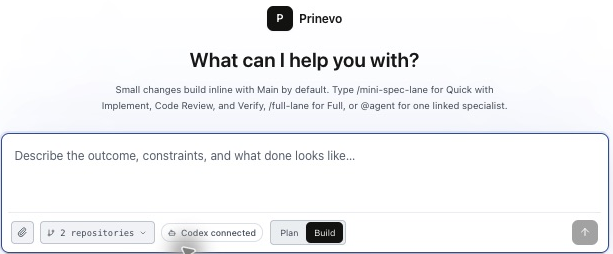
- 1Open Sessions
Select New to create a new durable work session.
- 2Select Build
Use Build when you want agents to make repository changes. Use Plan first when you only want to shape the work.
- 3Add repository hints
Select the likely repositories. These guide discovery but do not force scope before agents inspect the system.
- 4Choose Full lane
In the current Build composer, type
/full-laneat the start of the request. - 5Describe the outcome
Include requirements, constraints, and what done looks like. Attach supporting files when they provide useful context.
- 6Submit
Prinevo saves the request, starts the session, and hands the work to the first eligible agent.
Write a useful request
Describe the business outcome and the boundaries that matter. Avoid prescribing file-level implementation unless that choice is already a firm engineering decision.
Build role-based access control for workspace settings.

Requirements
- Owners can invite and remove members.
- Members can view settings but cannot change access.
- Record an audit event for every access change.
- Update the API, web app, tests, and rollout notes.

Done means the change is reviewed, sandbox-verified, and ready to ship.
What happens next
Specialist agents move the request through one visible sequence. The session remains the shared place for progress, artifacts, decisions, and evidence.
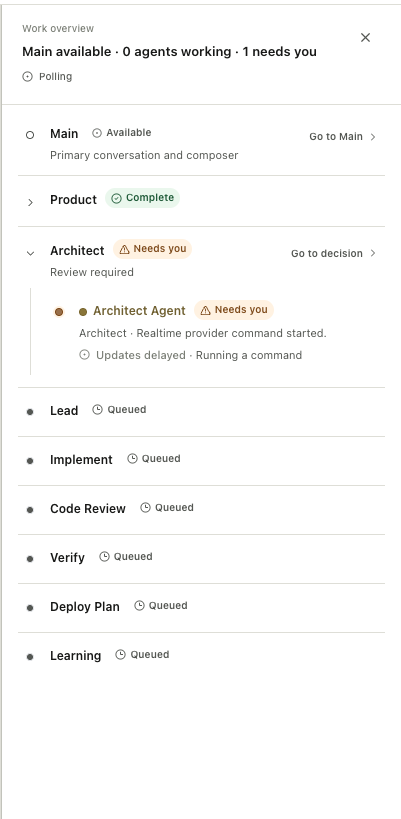
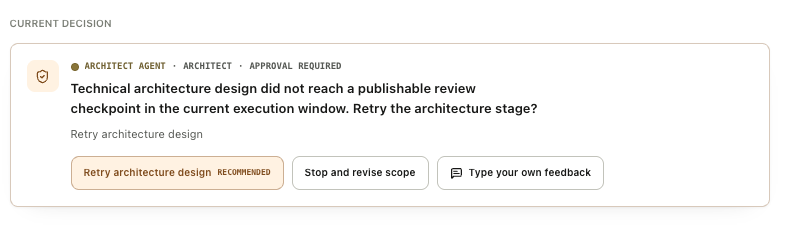
The exact path can pause at a decision gate. A pause is not a failed run. It means the next stage needs accountable input before work continues.
Artifacts you receive at each stage
Full lane carries the accepted requirements and decisions into implementation, review, and QA. Open Artifacts from the session to inspect the available outputs, and use Work to see their stage owners and progress. Use Verification for criterion-level test results and evidence.
| Stage | Artifact or output | What to review |
|---|---|---|
| Product | Product requirements document (PRD) | Who the feature serves, expected behavior, scope, acceptance criteria, and edge cases. |
| Architect | High-level design (HLD) | Affected systems, ownership, contracts, data boundaries, risks, and sequencing. |
| Lead | Low-level design (LLD), implementation and test plan | Tasks, responsible areas, dependencies, acceptance mapping, and checks. |
| Implement | Code changes and pull requests | Behavior changes, repository scope, tests, and implementation notes. |
| Code Review | Review findings and resolution | Correctness, contracts, architecture, security, missing tests, and remaining issues. |
| Verify / QA | Accepted criteria, execution results, and evidence | What ran, what passed or failed, coverage gaps, screenshots, video, and blockers. |
| Deploy Plan, when needed | Deployment plan | Release order, configuration, migrations, smoke checks, monitoring, and rollback. |
| Learning | Learning output | Reusable findings, decisions, and proposed improvements arising from the work. |
Exact outputs depend on the task and stages executed. An artifact being present does not by itself mean its contents are approved or its checks passed.
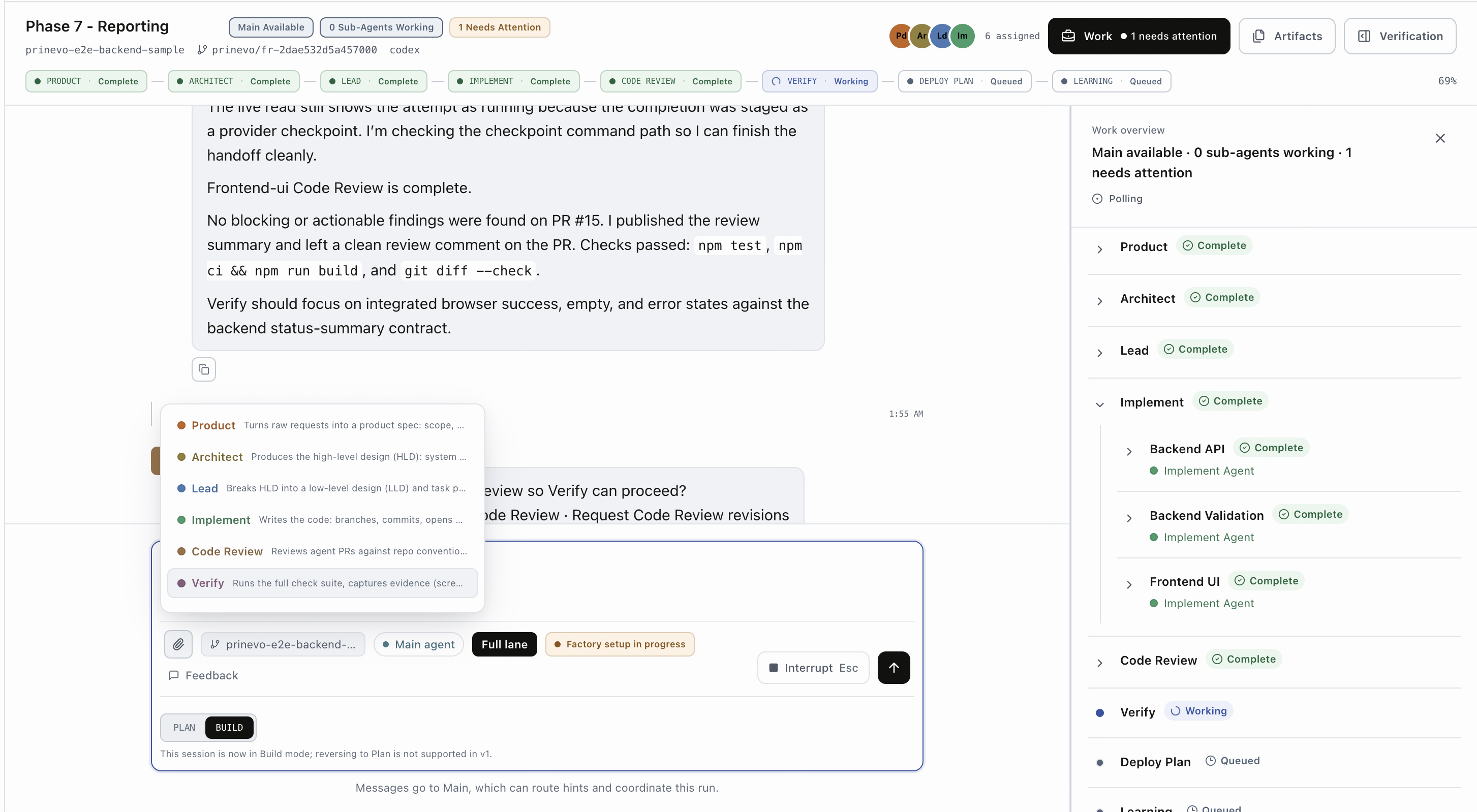
Worked example: workspace access controls
The following excerpts illustrate how one requirement travels through Full lane. They are documentation examples, not downloaded artifacts from the pictured run.
1. Product artifact: define behavior and acceptance
Outcome: workspace owners can manage membership safely.
AC-1: Owners can invite a member by email and choose their role.
AC-2: Members can view settings but cannot change workspace access.
AC-3: Every access change records an audit event.
Edge cases: duplicate invite, expired invite, insufficient permissions.
Out of scope: a new billing-role model.
Before approving, check that each criterion describes an observable outcome. Clarify who can act and what happens when the operation fails.
2. Architecture artifact: define boundaries and contracts
UI: invitation form and member list in workspace Settings.
API: enforce owner authorization on the server for access changes.
Data: persist invitations, membership roles, and audit events.
Contract: return explicit validation and authorization failures.
Compatibility: preserve existing member access during rollout.
Failure handling: report invitation delivery failures without
misrepresenting delivery as successful.
Review ownership, compatibility, and security assumptions before code is built. If the design changes the product behavior, resolve that decision before approving downstream work.
3. Lead artifact: LLD and task plan
The HLD defines the system shape. The LLD makes the work concrete inside the affected components: responsibilities, interfaces, validation and error paths, state changes, and the tests proving each behavior. The task plan sequences that work and identifies its owners.
Illustrative LLD excerpt
Invitation UI → invitation API → membership/invitation storage.
Validate email and requested role at the API boundary.
Check the actor’s workspace ownership before creating the invitation.
Return distinct validation, authorization, and delivery failures.
Test each accepted behavior and error path before marking it ready.| Task | Criteria | Checks |
|---|---|---|
| Implement server-side permission checks and invitation behavior | AC-1, AC-2 | Authorized, unauthorized, duplicate, and invalid-input cases. |
| Add invitation controls and clear UI states | AC-1, AC-2 | Success, loading, validation, access-denied, and error states. |
| Record and verify access-change audit events | AC-3 | Event recorded for the intended operation without sensitive fields. |
4. Implementation and review artifacts: inspect the change
Open the PR links attached to the run. Check that each PR targets the intended repository and base branch. Read the implementation notes and validation results, then review actionable findings against the accepted scope.
Illustrative review finding
Behavior: a member can submit an invitation through the API.
Impact: the UI hides the action, but server authorization is missing.
Required correction: enforce the owner check on the server.
Verification: add a member-denied case and rerun the affected checks.
See the Code Review dimensions and how to resolve findings.
5. QA artifact: prove the accepted behavior
| Criterion | Scenario | Proof to inspect |
|---|---|---|
| AC-1 | Owner invites a member with a valid email | Execution result, membership/invitation readback, and relevant UI screenshot. |
| AC-2 | Member attempts an access change | Authorization result and UI state showing the denied action. |
| AC-3 | Owner changes a member role | Audit event readback linked to the executed scenario. |
A run must supply its actual results. Example criteria and expected proof are a plan for verification, not a claim that a check passed.
Inspect acceptance criteria, screenshots, and video
Open Verification and select the run. Expand an acceptance criterion and scenario to compare the expected behavior with the actual result. Inspect evidence availability and freshness as well as test status.

Use the evidence list to preview screenshots, videos, and supporting files. Screenshots show a state; video can show a flow over time. Logs, API results, and scenario records support behavior that a visual alone cannot prove. Available media depends on what the run captured and published.
Read the complete QA guide · Understand artifacts and evidence
Review the delivery before merge or release
- Confirm scope. The final behavior matches the accepted requirements and any approved revisions.
- Review all PRs. Confirm the correct repositories and branches, and resolve actionable findings.
- Check QA. Required checks pass on the current revision; blocked, failed, or untested scenarios have clear dispositions.
- Open the proof. Evidence is available and current, with no unexplained gaps in acceptance coverage.
- Read release guidance. When needed, confirm deployment order, migrations, monitoring, and rollback ownership.
- Approve the intended action. Follow your configured merge and deployment process.
Full lane can finish at a verified PR or a release-ready plan. A completed planning or verification stage does not prove the change has been merged or deployed. Check the actual delivery state.
If a check fails, keep the feedback and retry in the existing session. If requirements or contracts change, revisit the affected artifact and decisions before continuing.
Skills used in Full lane
Each stage starts with the specialist's platform skills and can load additional task-specific skills when the work requires them. Approved project skills add your engineering standards and playbooks without replacing the platform baseline.
- Product
- Requirements, scope, user journeys, acceptance criteria, and edge cases.
- Architect
- System design, architecture tradeoffs, contracts, data boundaries, and rollout risk.
- Lead
- Implementation planning, task decomposition, ownership, and test planning.
- Implement
- Code navigation, language and framework practices, migrations, and focused tests.
- Code Review
- Correctness, security, compatibility, maintainability, and deployment safety.
- Verify
- Test selection, local runtime checks, browser flows, and evidence capture.
- Deploy Plan
- Release sequencing, migrations, monitoring, rollback, and operator checks.
- Learning
- Decision capture, memory review, recurring gaps, and workflow improvements.
Skills are selected from the task, risk, technology, and verification surface. Full lane does not force every available skill into every run.
Guide the run
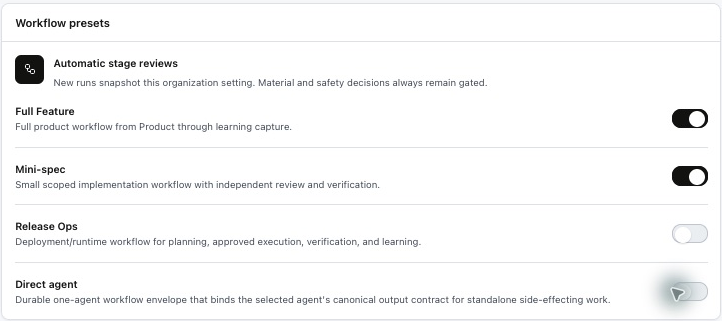
Open the active session to see the current stage, agent activity, artifacts, decisions, and verification. When Prinevo needs judgment, use the decision panel to approve, request changes, or give specific feedback. Your feedback remains part of the session rather than becoming a separate untracked conversation.
Review before approving
- Open the current PRD, architecture, plan, diff, or verification artifact.
- Check that affected repositories and contracts match the intended scope.
- Give concrete feedback when the direction is wrong.
- Approve only when the artifact is good enough for the next stage.
When to use another lane
| Need | Use |
|---|---|
| Explore or shape an idea without committing to code | Plan |
| Have the Main agent make and verify a small, low-risk change directly | Inline quick lane |
| Use separate Implement, Code Review, and Verify agents for a bounded change | Quick Agent lane |
| Ask one specialist to perform a focused task, such as reviewing a PR | Direct agent |
| Coordinate architecture, implementation, review, and verification | Full lane |