
Run work
Connect MCP tools
Add tool access from Integrations so agents can work with issue trackers, knowledge sources, and delivery systems.
Choose a connection
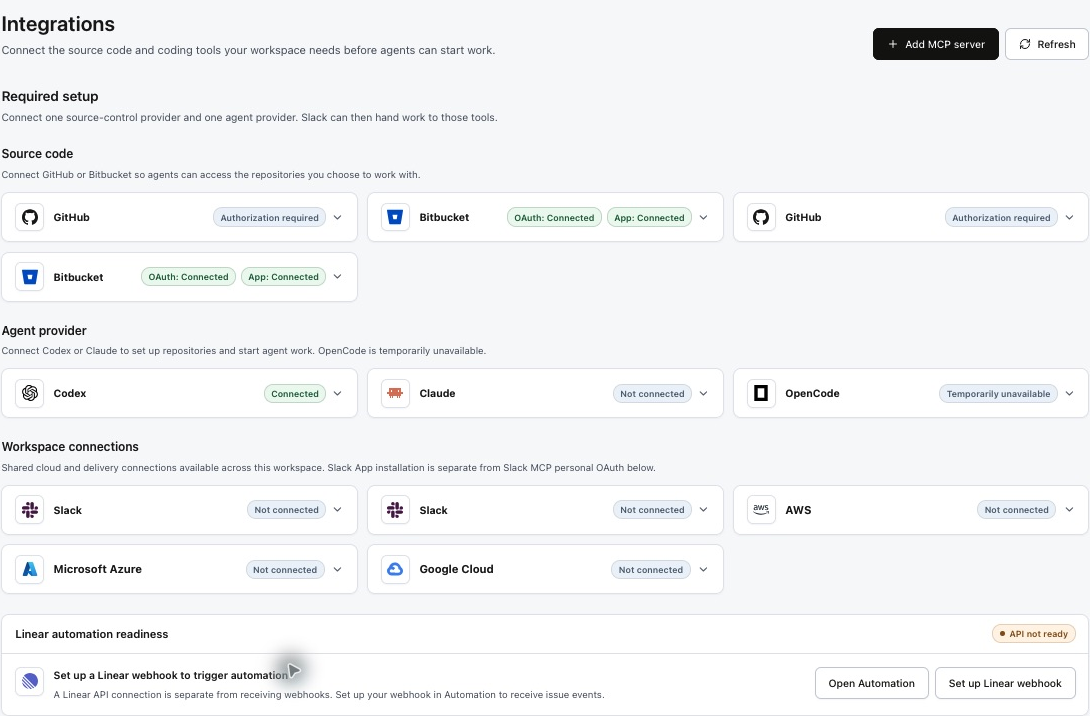
Open Integrations. The MCP marketplace lists available providers; configured connections appear under Workspace integrations. Use Connect for a listed provider or Add MCP server for your own server.
| Example | Use |
|---|---|
| Linear | Access ticket context and issue tools for delivery work. |
| Notion | Read connected product specifications and team knowledge. |
| GitHub MCP | Use repository, pull-request, and issue tools. Personal OAuth is separate from the GitHub App source-control installation. |
| Slack MCP | Use personal Slack tool access. This is separate from installing the Slack App for workspace collaboration. |
| Playwright | Browser automation inside the agent environment; the current marketplace lists this as included by the platform. |
Example: a team MCP server
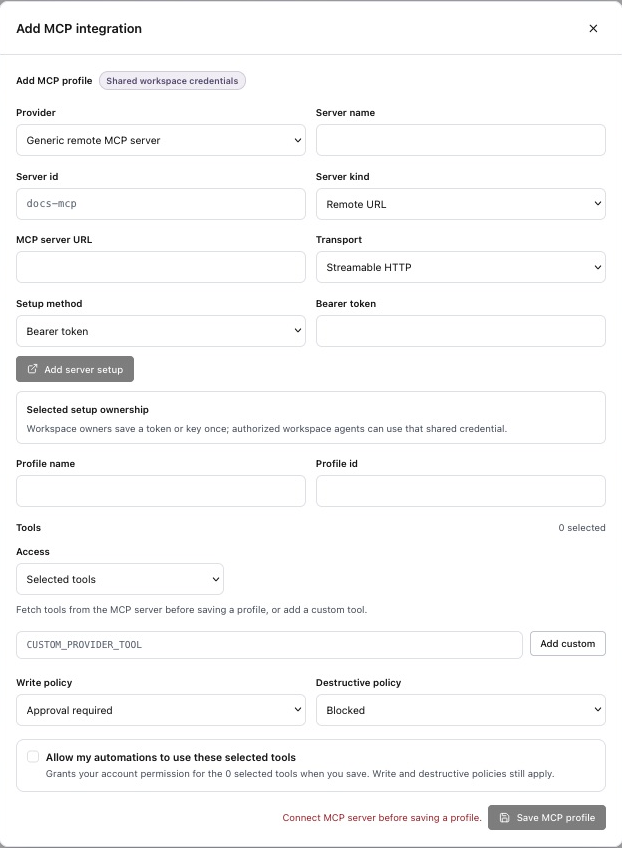
For a custom MCP server, select Add MCP server and provide the connection details required by the form and your server administrator. The following is a planning example, not a configuration file to paste:
| Name | Team knowledge |
|---|---|
| Server endpoint | https://mcp.example.com/mcp — replace with your actual supported endpoint. |
| Authentication | Use the method supported by the server and the connection form. |
| Intended tools | Search engineering notes and read approved specifications. |
| Example task | Find the search empty-state specification and cite the relevant acceptance criteria. |
Configure the available tools and approval rules in the workspace MCP policy. Start with the tools needed for the task.
Check tools and credentials
- Complete the provider’s supported authentication flow.
- Review the credential scope shown on the connection, such as personal OAuth or shared workspace credentials.
- Use Fetch tools to inspect the server’s available tools.
- Configure tool selection and approval rules, then run a bounded task to confirm access.
A Connected badge alone does not mean every tool is allowed. Personal OAuth and workspace credentials have different ownership; verify the connection available to the person running the task.