Prinevo documentation
Build with Prinevo
Configure your agent team, choose the right delivery path, run work in cloud sandboxes, and review evidence before changes ship.
Start here
Recommended first guide How to use Full lane Take a meaningful feature from request through planning, implementation, review, verification, and learning. Open the guideInvite your teamInvite members in Settings, then sign in with the invited account.Automate PR checksEnable automatic Code Review and QA validation in Settings.Set up your FactoryConnect product repositories, review setup PRs, and merge each PR in its own repository.Connect your toolsSet up source control, agent connections, and a first verified run.Ship faster with Quick laneDeliver a bounded change with focused verification.Take a ticket to a PRBring Linear or GitHub issue requirements into a reviewable delivery workflow.
Plan a feature firstShape the request in Plan mode, then continue in Build with the right lane.
Plan a large projectTurn a large initiative into an approved sequence of phases, then deliver each phase through Full lane.
Choose a laneCompare Full lane, Inline quick lane, Quick Agent lane, Plan, and Direct agent.
Configure agentsChoose a model, connection, reasoning level, and compute profile for each agent.
Track usageReview tokens, sessions, duration, and cost by user, agent, model, task, or session.
Add project skillsGive agents additive company playbooks without weakening Prinevo safety baselines.
Handle errorsReview failures, guide the agent with feedback, retry the current step, and continue safely.
Try Prinevo in your existing workflow
Connect GitHub or Bitbucket, then start with the outcome that matters to your team.
Automate PR code reviewStart specialist review from verified pull-request events.Automate PR testingCheck acceptance criteria and inspect QA evidence.Fix bugs from LinearTrigger implementation, review, and verification with a matching issue label.Deliver a full featureGuide PRD, HLD, LLD, implementation, review, and QA.
Core concepts
- Project
- A durable target, shared context, and ordered set of phases for delivering a large initiative.
- Session
- One durable conversation and its agent work, decisions, artifacts, and evidence.
- Lane
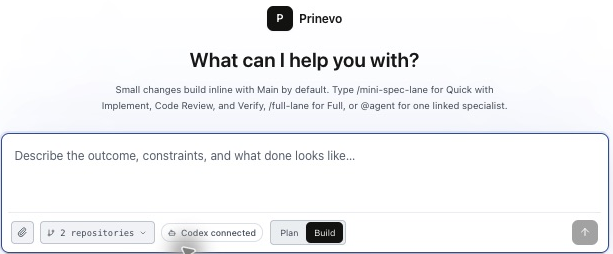
- The execution path for a request. Full lane coordinates the complete workflow. Inline quick lane uses the Main agent. Quick Agent lane dispatches Implement, Code Review, and Verify. Direct agent runs one specialist.
- Agent
- A specialist with its own role, model, connection, reasoning level, compute profile, skills, and tool permissions.
- Cloud workspace
- An isolated compute environment where an agent can inspect repositories, build changes, and run verification.
- Evidence
- Artifacts such as plans, diffs, tests, logs, screenshots, and verification results that travel with the work.
Before your first run
Set up the execution choices once, then every new run starts with an explicit repository, model, connection, reasoning, and compute configuration.
- 1Connect source control
Add your provider and select the repositories Prinevo may prepare.
- 2Check Factory
Connect the required repositories, review and merge their setup PRs, and confirm setup and analysis are ready. Follow Factory setup.
- 3Configure Agents
Save the model, connection, reasoning, and compute choices that new runs should snapshot.
- 4Start a session
Choose a lane based on the size and risk of the work.