
Get started
Plan and deliver a large project
Break a large initiative into approved, independently deliverable phases. Prinevo carries the project target and shared context into every phase while Full lane builds and verifies the work.
How projects work
Use a project when the outcome is too large for one delivery run. Planning defines the target and divides it into ordered increments. Each increment is then delivered as its own controlled Full lane run.
Create the project
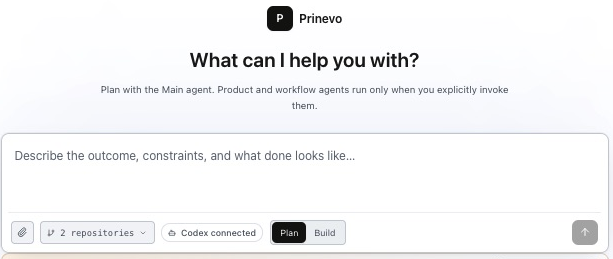
- 1Start a Plan session
Open Sessions, select New, and choose Plan. Project creation is agent-driven so the plan can be grounded in your factory context before anything is recorded.
- 2Name the initiative and outcome
State what the completed project must achieve, who it serves, and why it matters.
- 3Ask for a phased project plan
Explicitly ask Prinevo to use
prinevo-phase-plan-artifactsand provide all available project context. - 4Review before execution
Approve or revise the project target, phase boundaries, dependencies, and verification requirements before starting phase one.
Paste this into a Plan session
Use prinevo-phase-plan-artifacts to create a project and phased delivery plan for this initiative. Use all the context I provide and inspect the current product, architecture, infrastructure, code, tests, and relevant decisions. Create ordered, independently deliverable phases with dependencies, acceptance criteria, and verification for each phase. Do not start implementation.Send this message with the project outcome and supporting context described below. Prinevo will create the project artifacts and return the ordered phases for review.
Provide complete project context
The quality of the phase plan depends on the context supplied and the evidence already available in the software factory. Give Prinevo the full initiative, not only the first feature you expect to build.
- The target outcome, users, required behavior, and definition of done.
- Business, security, compliance, budget, timing, and rollout constraints.
- Relevant product documents, designs, architecture decisions, contracts, and prior evidence.
- Known systems, ownership boundaries, dependencies, migrations, and operational risks.
- Acceptance criteria and the tests, browser flows, runtime checks, or rollout proof the project will require.
Prinevo also reads the factory product vision, architecture, infrastructure, code, tests, and repository documentation when available. Missing or conflicting evidence is recorded instead of silently guessed.
Generate the phase plan
Use prinevo-phase-plan-artifacts to turn the complete context into a durable project overview, shared project context, and an ordered phase document for every delivery increment.
Use prinevo-phase-plan-artifacts to create a project and phased delivery plan for our workspace access-control initiative.

Outcome
Owners can manage access safely while members have the correct read-only experience.

Project context
- Include the approved product requirements and designs.
- Read the current architecture, infrastructure, code, tests, and relevant decisions.
- Preserve existing API compatibility and audit requirements.
- Plan the migration and rollout without disrupting active workspaces.

Definition of done
Each phase must have bounded scope, dependencies, acceptance criteria, an evidence-backed test plan, and a clear completion condition. Do not start implementation.
What the plan contains
- Project overview
- The target outcome, planning evidence, assumptions, open questions, and ordered phase index.
- Shared context
- Approved project information that every phase needs to understand.
- Phase documents
- The objective, bounded scope, dependencies, affected boundaries, acceptance criteria, and test plan for each increment.
- Architecture target
- One project-wide target architecture when the initiative crosses meaningful system, data, service, or runtime boundaries.
Review the phases before building
Confirm that the phases add up to the complete project and that each phase can be understood, built, and verified on its own. Resolve major product and architecture questions before agents begin implementation.
- Prefer thin, useful increments over phases split only by technical layer.
- Keep shared prerequisites explicit and order phases by real dependencies.
- Require evidence for every planned deliverable and a test plan for every phase.
- Revise the project plan when phase boundaries, dependencies, or the target architecture change materially.
Run each phase through Full lane
Every phase document includes a generated kickoff block with its project and phase identifiers. Start a new Build session with that kickoff when you are ready to execute the phase.
project lane: Execute phase 1 (foundation) of Workspace access control
project: <project-id>
phase: foundation
The project lane: request binds the run to that exact phase and sends it through the Full lane workflow: Product, Architect, Lead, Implement, Code Review, Verify, Deploy Plan when needed, and Learning.
Start phases explicitly and in order. Prinevo refuses a later phase while an earlier required phase is unfinished, so planning never becomes accidental parallel execution.
Continue the project
After a phase is verified, use its artifacts and evidence to confirm the project is ready for the next phase. The next run receives the project target, approved shared context, and its selected phase document while reading current architecture and code again.
- 1Complete the phase
Review the implementation, verification evidence, rollout needs, and learning output.
- 2Update the plan when reality changes
Revise the project if new evidence changes scope, dependencies, or the target architecture.
- 3Start the next approved phase
Use that phase's generated kickoff block in a new Build session.