
Get started
Choose the right lane
Choose the smallest path that gives the work enough structure, independent review, and verification.
Quick lane: ship faster. Full lane: automate the SDLC.
Quick lane keeps a bounded change moving with a compact scope and focused checks. Full lane coordinates the software development lifecycle (SDLC), carrying requirements and evidence between specialists. Choose by risk and design needs.
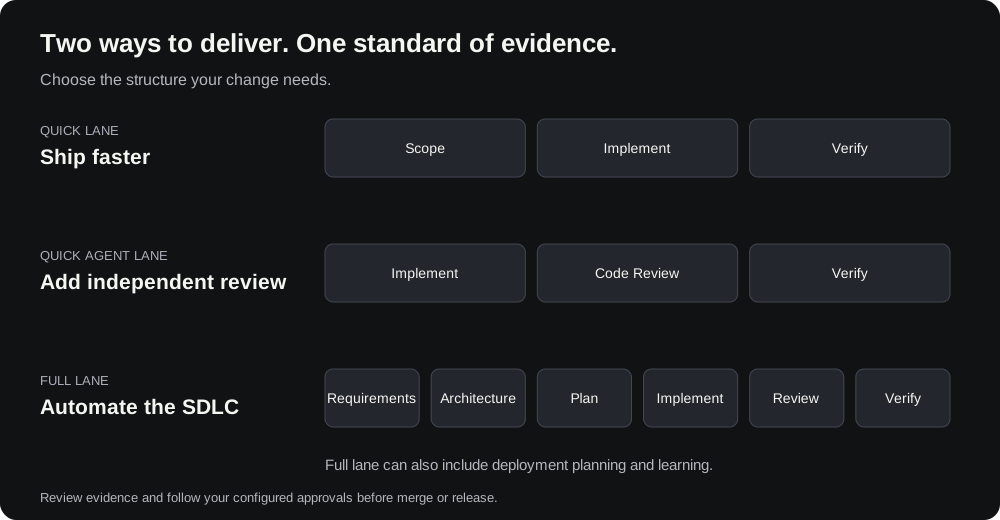
Lane comparison
| Path | Best for | How to start | Who does the work |
|---|---|---|---|
| Plan | Questions, discovery, and shaping work before code | Select the Plan tab | Main agent |
| Full lane | Meaningful features, architecture or contract changes, rollout work, or higher-risk delivery | Select Full lane in Build, or type /full-lane | Coordinated multi-stage workflow |
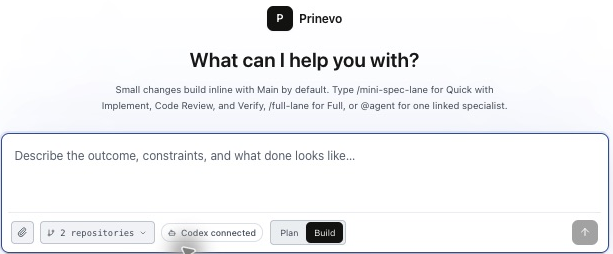
| Inline quick lane | Small, low-risk changes that do not need independent agent review | Select Quick lane in Build or start with quick lane: | Main agent scopes, implements, and verifies |
| Quick Agent lane | Bounded changes that benefit from separate implementation, review, and verification | Start with quick agent lane: | Implement, Code Review, then Verify agents |
| Direct agent | One focused specialist task | Type @ in the composer and choose the agent | Single-node run |
Plan
Use Plan to clarify a feature, compare approaches, inspect context, and agree on acceptance criteria before changing code. When the plan is ready, move the same session to Build and choose Inline quick lane, Quick Agent lane, or Full lane. A session that has committed to Build does not move back to Plan in the current product.
Full lane — automate the SDLC
Full lane coordinates Product, Architect, Lead, Implement, Code Review, Verify, Deploy Plan, and Learning work around one durable request. Use it when an early design decision or missed contract could create downstream rework.
Inline quick lane
Use Inline quick lane when a small, low-risk change can be handled directly by the Main agent. The Main agent writes a compact mini-spec, makes the scoped code change, and runs the smallest sufficient verification in the same session.
Start with quick lane:. Choose Quick Agent lane when implementation should be reviewed and verified by separate agents.
Quick Agent lane
Quick Agent lane keeps the request lightweight while separating implementation, code review, and verification. The same mini-spec, acceptance criteria, and run context travel through all three agents.
If Code Review finds an actionable issue, the work returns to Implement and is reviewed again. Verify starts only after Code Review marks the change ready. Verification defects also return through the workflow, and downstream stages rerun before the lane completes.
Start with quick agent lane:. This lane does not run Product, Architect, Lead, Deploy Plan, or Learning. Use Full lane when those stages or deeper design control are needed.
Direct agent
Direct agent runs one named specialist inside a single-node workflow envelope. Type @ in the composer, select the specialist from the list, and describe the focused task. Use it for work such as asking Verify to validate a pull request or asking Architect to review a design. It does not silently become the full multi-stage workflow.