
Get started
Connect your development workflow
Connect the tools your team uses, confirm access, and prove the setup with a bounded change before relying on it for delivery.
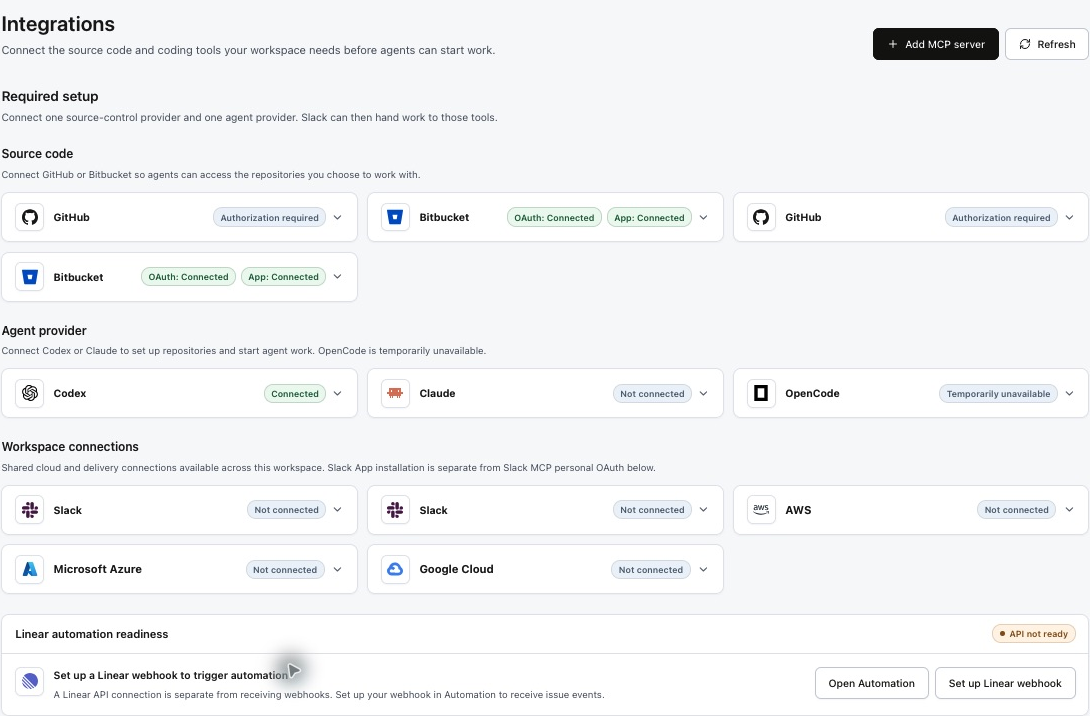
Connect MCP tools: Linear, Notion, GitHub, Slack, and custom servers · Set up Linear ticket automation
What connects to what
| Connection | Purpose | Confirm before running |
|---|---|---|
| GitHub | Repository access and pull-request delivery. | The intended organization and repositories are accessible to the connection. |
| Agent provider | Executes the selected specialist with its saved model settings. | The connection is active and matches the provider selected for that agent. |
| Slack | Team collaboration through the configured workspace connection. | You connected the intended workspace and can access the intended conversation. |
| Linear or another issue tracker | Provides the request, constraints, and acceptance criteria. | Connect Linear MCP for agent tool access and configure its webhook and rule in Automation to start work from issue events. |
A connection, a trigger, and an execution lane are separate choices. Connecting an issue tracker does not by itself start work when a ticket changes.
Connect repositories and merge setup PRs
After connecting GitHub, select all repositories needed for your product in Factory. Repository setup starts automatically from the Factory page; no command or session request is needed. Prinevo prepares repository context and opens a setup PR in each repository that needs changes. Review and merge each PR in its own repository, then return to Factory to confirm setup results.

Follow the complete Factory setup guide
An active GitHub connection, selected repositories, and merged setup PRs are separate milestones. Confirm each one before relying on the Factory for delivery.
Set up the workspace
- 1Connect source control
Open Integrations and complete the GitHub connection or installation flow. Ask your organization administrator for access if the required repositories are unavailable.
- 2Select repositories
Choose all relevant repositories for the Factory. Setup starts automatically from the Factory page. Follow its progress there, review the PR in each repository, and merge each setup PR into its intended base branch. Confirm repository status in Factory before starting a delivery run.
- 3Configure the agent team
In Agents, set the provider connection, model, reasoning level, and compute profile for the specialists you plan to use.
- 4Add team context
Attach project skills for coding standards, test commands, and review expectations. Supply relevant design references and acceptance criteria with the request.
- 5Choose delivery controls
Agree who reviews artifacts, handles access failures, and approves merge or release. Keep credentials in the supported connection or secret configuration, rather than ticket text.
Prove the setup with a first run
Use a small, reversible change with an observable acceptance criterion. Start Quick lane, confirm the agent can inspect the intended repository, and review the resulting diff and check evidence. If the task includes a PR, confirm it targets the correct repository and base branch. A connected status alone does not prove the full delivery path works.
- Record the repository, requested outcome, and test command.
- Check that the run produces an artifact or PR you can open.
- Confirm the evidence names the checks that ran and their results.
- Confirm the review owner can access the result before expanding usage.
Resolve access problems
| Symptom | Next step |
|---|---|
| Repository missing | Check organization installation access, repository selection, and Factory enablement. |
| Provider authentication required | Reconnect the provider in Integrations, then retry the existing session. |
| Agent cannot execute | Check that its connection matches the provider and that its compute settings are available. |
| Ticket link cannot be read | Provide the ticket text and acceptance criteria directly. Do not assume the link grants access. |